There are two different things people mean by "uploading a resume", and it is worth being clear about which one this platform does.
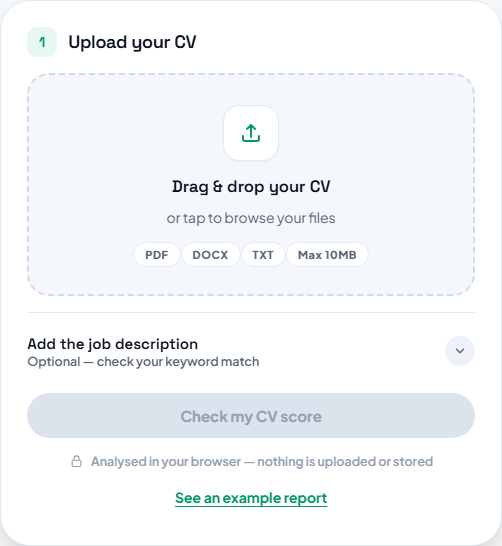
The ATS Resume Checker accepts an existing file — PDF, Word (.docx) or plain text — and reports on how well it is likely to be read by applicant tracking software. That check happens in your browser: the file is read locally and scored there.
The builder is a separate flow. It does not currently parse an uploaded file into the form fields for you, so moving an old CV into a Make The CV design means copying its content across section by section. That sounds tedious, but it is usually 10–15 minutes and it is a good opportunity to cut the parts that are no longer relevant.
Step by step
Score the file you already have
Open the ATS Resume Checker and drop your current CV onto the upload area. Supported formats are PDF, Word (.docx) and plain text. Scanned CVs and photographs of a printed page have no text layer, so export a fresh PDF instead.
TipKeep a note of that first score — it is your baseline for comparing the rebuilt version.
Open the builder alongside it
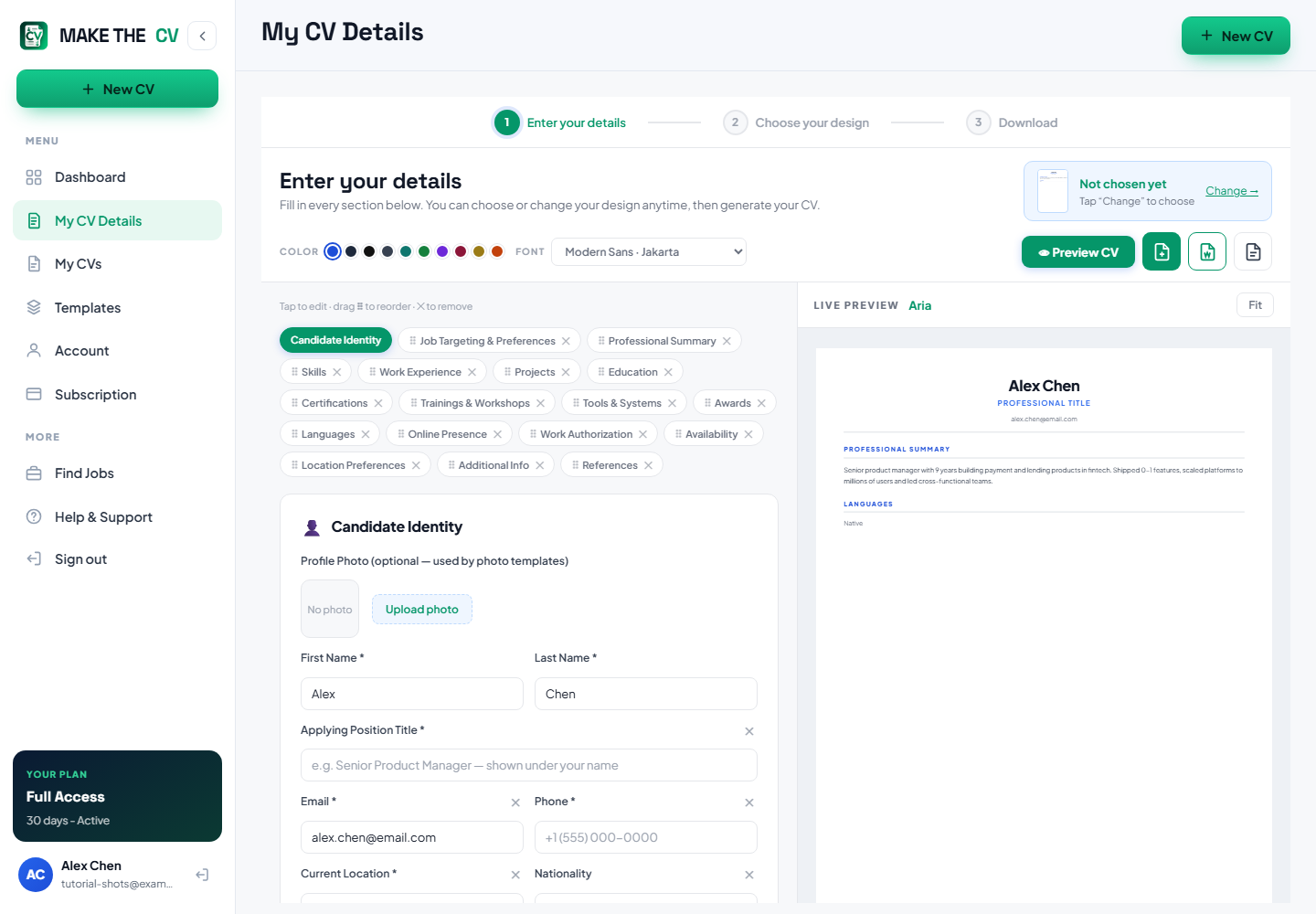
Sign in and go to My CV Details. Keep your old CV open in another window so you can copy from it.
Copy the content across, section by section
Work in the same order the form uses: contact details, Professional Summary, Work Experience, Education, Skills, then anything else you need. Paste the text rather than trying to reproduce the old formatting — the template handles all of that.
TipDrop roles older than about ten years unless they are directly relevant.
Tidy up what you pasted
Pasted text often carries odd spacing or line breaks. Read each section back in the Live Preview and fix anything that looks wrong before moving on.
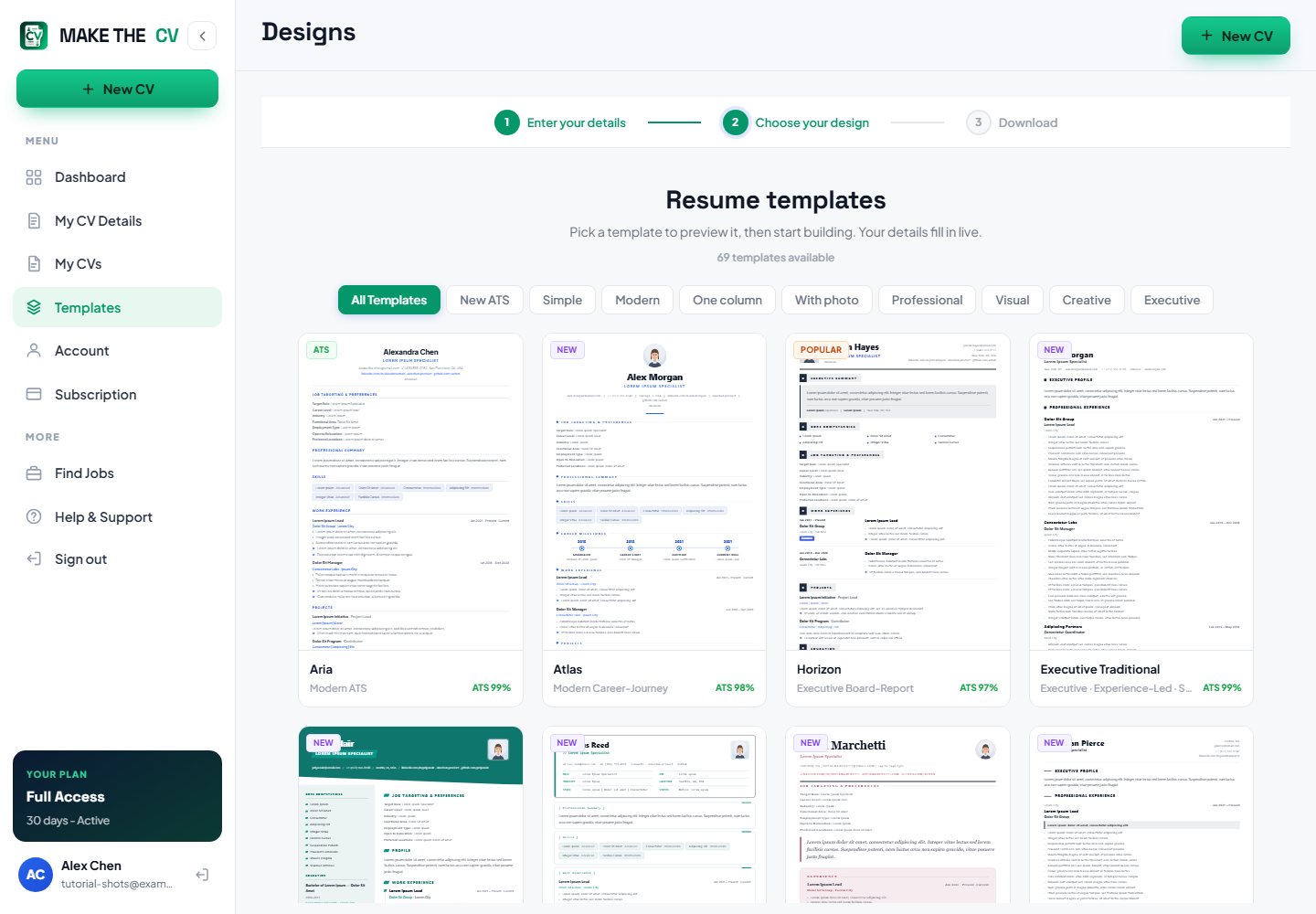
Pick a design and download
Choose your design, apply it, then export from Download. Run the new file through the ATS Resume Checker and compare it with the baseline you saved earlier.
Questions people ask
Will Make The CV read my old CV and fill in the form automatically?
Not at the moment. The ATS Resume Checker reads an uploaded file to score it, but the builder does not populate its fields from that file — you copy the content across yourself.
Which file types can I upload to the checker?
PDF, Word (.docx) and plain text. Old .doc files are not supported, so save them as PDF or .docx first.
Is my uploaded file kept?
The upload card says it plainly: your CV is analysed in your browser to produce the report.