Make The CV exports in three formats. PDF is the one to send unless you have been told otherwise, because it looks the same everywhere. Word is there for the employers and agencies who ask for an editable file. Plain text is occasionally useful for pasting into an application form.
Downloading requires an active subscription — building and previewing your CV are free.
Step by step
Finish and check the preview
Read the Live Preview through at full size first. Look for gaps at the bottom of a page, awkward line breaks and anything that has been left half-written.
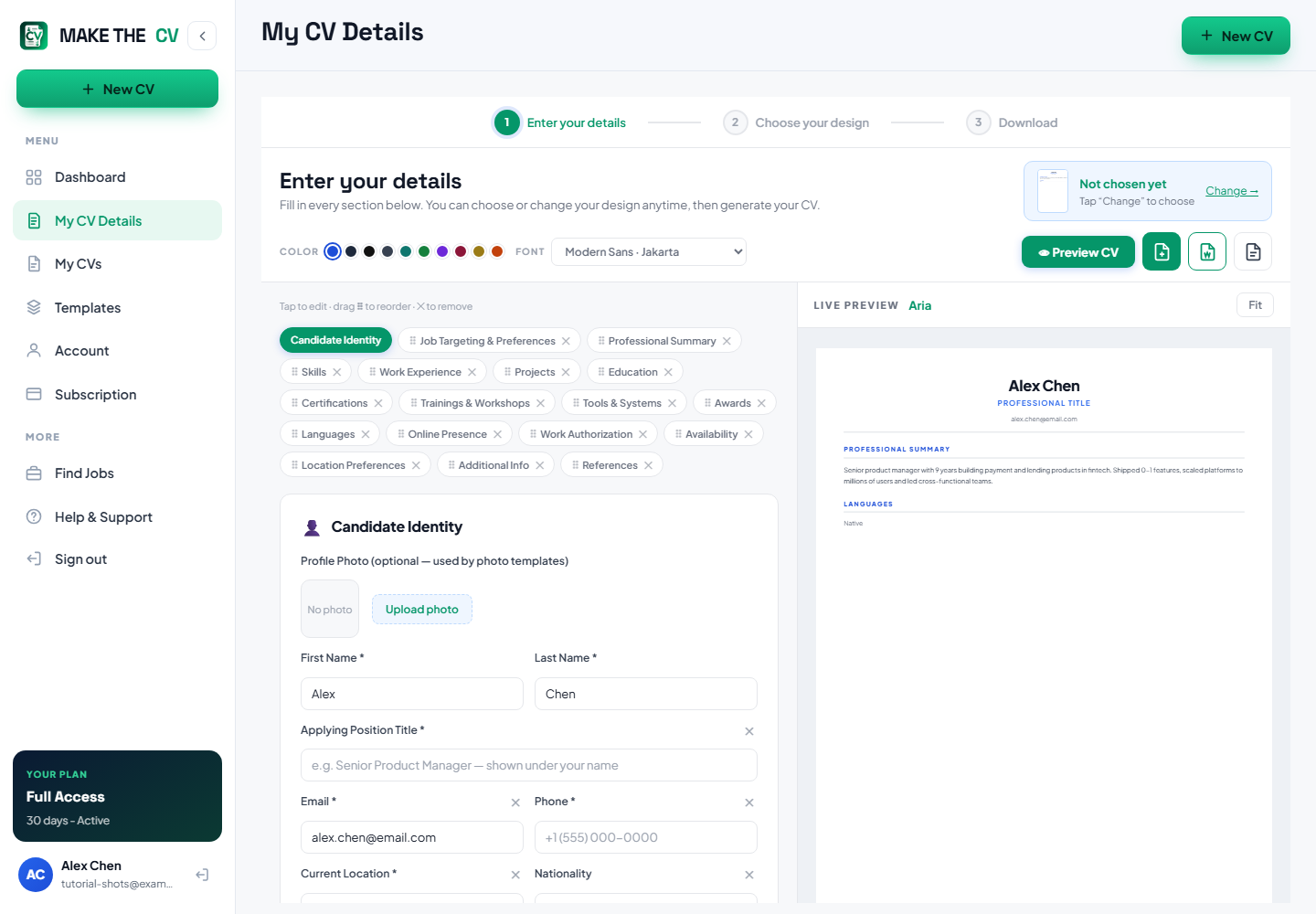
Confirm the design
Make sure the template, Font and Color are the ones you want. Everything is applied at export time, so what you see in the preview is what lands in the file.
Choose your format
Step 3 of the builder is Download. Use it for the PDF, or pick Word for an editable .docx and Text for plain text. The file is named after you and the template, so it arrives looking deliberate rather than as "document1".
TipSend PDF unless the advert or the agency specifically asks for Word.
Open the file before you send it
Open the downloaded file and read it. Confirm the page count is what you expected, the text is selectable rather than an image, and any links work.
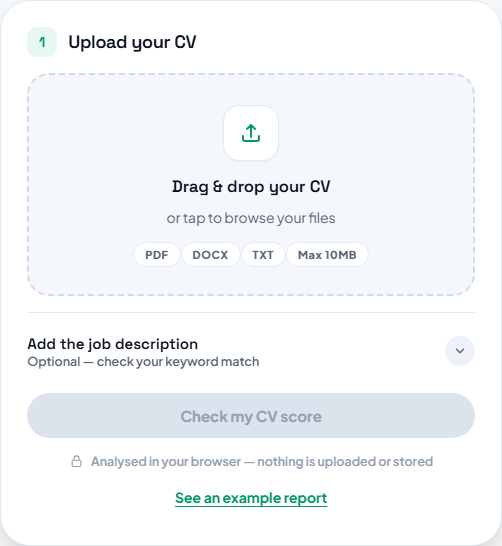
Run the exported file through the checker
Upload the file you are about to send to the ATS Resume Checker. Checking the actual export is the only way to know how the finished document reads.
Questions people ask
Which formats can I download?
PDF, Word (.docx) and plain text.
Do I need to pay to download?
Building and previewing are free. Downloading the finished file requires an active plan.
Can I download the same CV more than once?
Yes — your CVs stay in your account, so you can re-export after any edit.
Should I send PDF or Word?
PDF unless you have been asked for Word, because a PDF looks identical on every machine.